ELUTENG Xbox Adapter for PC Xbox Wireless Adapters Bluetooth 5.0 Xbox
Controller Wireless Adapter Dongle, Elite|Elite Series 2, Xbox Series X|S ControllerUSD $15.99
Condition : NEW
Free Shipping
{{variant_type_name}} :

Notify me when the price drops
We will email you if we find a lower price on this product!
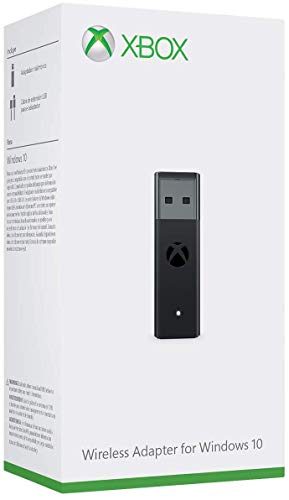
- 【Broad Compatibility】: Enjoy gaming on your PC, laptop, or tablet. The adapter is compatible with Xbox One controllers, including the Elite series, Xbox One X, and Xbox One S controllers. Produced by ELUTENG, it is a non-OEM product. Please note that it is not compatible with Xbox 360 controllers.
- 【Connect Up to 8 Controllers】: Connect up to 8 game controllers simultaneously, along with a maximum of 4 chat headsets or 2 stereo headsets! (Note: Universal wireless headsets will not be compatible).
- 【User-Friendly】: Simply plug this Xbox wireless adapter into your computer and start gaming just like on an Xbox. (Note: If you are using Windows 7 or Windows 8, you will need to download drivers from the Microsoft website. Feel free to email me if you need assistance).
- 【Smaller and Stronger】: Utilizing the latest technology, this adapter is smaller yet more powerful compared to other products. Experience zero latency, extended transmission range, and stable connectivity. Have a blast gaming with your friends!
- 【What You'll Get】: 1 x Wireless Adapter, 1 x User Manual. Enjoy the benefits of a 30-day refund policy, 365-day replacement warranty, and 24/7 email support. Please don't hesitate to contact us if you have any questions.
- 【How to Use】Plug in the receiver and Windows will automatically detect it. Insert batteries into the controller. Press and hold the wireless pairing button (the pairing key) on the front of the controller. The XBOX button will begin flashing rapidly. Simultaneously, press and hold the wireless pairing button on the side of the receiver. Its indicator light will also flash rapidly. Wait for the connection to complete, and you're ready to go!
- [Important Notes] If your Windows system still fails to recognize the device or exhibits issues like no vibration after manual updates: 1. Update all Windows system patches on your computer. You can use software like 360 Security to apply patches. Ensure all patches are installed, then restart your computer. Windows will automatically configure the patches, resolving the issue! 2. If your computer has built-in security software, simply manually update the driver and enter the permission password. If the driver is abnormal, you need to uninstall it and upgrade the system to use it.
- Color: Black

Price type
IN STOCK
OUT STOCK








 .
.
